Page 1 of 1

Terrain Generator Improvement

PostPosted: Thu Jul 24, 2014 22:22
by Dragonop
I were thinking and exploring the Minetest Wiki, and in Map Generator Section two called my attention:
The 3rd Map Generator: 3D noise
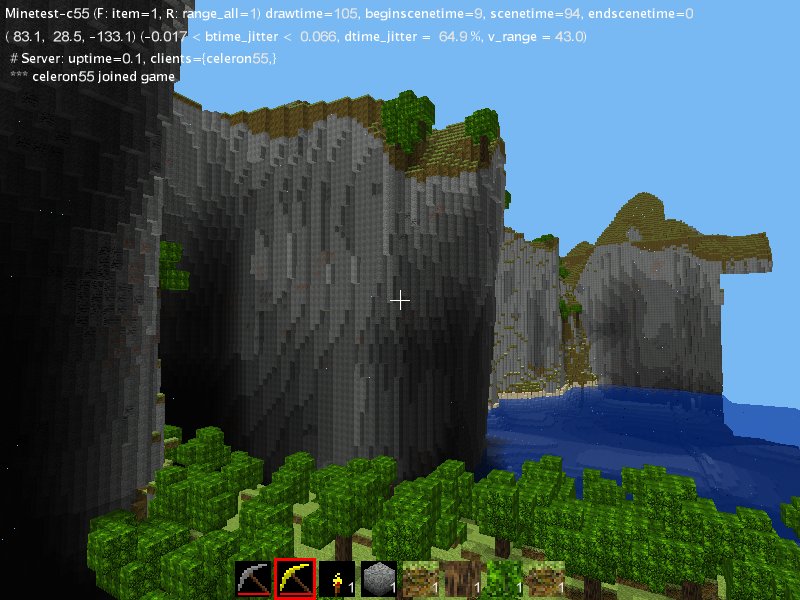
Image
and the 4th map generator
Image
I will to now if somebody can make the 3D noise mapgen engine for actual Minetest? (this one is maked trough 3D noise emition)

Wiki Page: http://wiki.minetest.net/Map_Generator_Evolution#Version_3_.223d_noise.22

Postdata: Sorry for the bad english, I am from Argentina so i don't talk english as my mother languaje.

Re: Tearrain Generator Improvement

PostPosted: Thu Jul 24, 2014 22:24
by Dragonop
*Oh please teach me how to post URL's and IMAGES xd

Re: Terrain Generator Improvement

PostPosted: Fri Jul 25, 2014 00:29
by paramat
Minetest mapgen v5 used 3D noise but was apparently slow, so 3D noise was dropped in favour of 2D noise for the current mapgen v6. More recently 3D noise has been made faster so mapgen v5 will return in future, i believe celeron55 himself will be coding that.
I use 3D noise in most of my lua mapgen mods, for example https://forum.minetest.net/viewtopic.php?f=11&t=8896
Also see https://forum.minetest.net/viewtopic.php?f=18&t=6396 for a simple example of 3D noise lua mapgen.

Re: Terrain Generator Improvement

PostPosted: Fri Jul 25, 2014 03:12
by Dragonop
Thanks for the quick reply; but i dont think that will be soon maybe like 10 months? -.-

Re: Terrain Generator Improvement

PostPosted: Fri Jul 25, 2014 09:04
by Calinou
Dragonop wrote:Thanks for the quick reply; but i dont think that will be soon maybe like 10 months? -.-


Freeminer, a fork of Minetest, has mgv5 in its development version.

However, 3D noise isn't an end to everything. The current mapgen (mgv6) can already generate overhanging caves, by generating them just above sea level.

Re: Terrain Generator Improvement

PostPosted: Mon Jul 28, 2014 03:25
by Wuzzy
Dragonop wrote:*Oh please teach me how to post URL's and IMAGES xd

OK.

You have to enclose URLs between the tags. Everything else is invalid. You used wrong syntax, that’s why it failed.

Dragonop wrote:[url]wiki.minetest.net/Map_Generator_Evolution#Version_3_.223d_noise.22[/url]

Invalid, because there is not an URL between the tags. The scheme is missing (“http” in this case). Use:
Your phone or window isn't wide enough to display the code box. If it's a phone, try rotating it to landscape mode.
Code: Select all
[url]http://wiki.minetest.net/Map_Generator_Evolution#Version_3_.223d_noise.22[/url]


Why have you omitted the scheme in the first place?

Dragonop wrote:[img]File-Turbulence_cliff_test.jpeg[/img]

Invalid, because this is not an URL. It is just a file name, but a file name alone is not enough. Yep, the file has to be somewhere on the Internet, otherwise this tag does not work. So you have to upload the image to some website first, then get its URL and enclose it between the IMG tags.
Alternatively, you may also choose to upload your image as an attachment, then you don’t need the IMG tag.

Re: Terrain Generator Improvement

PostPosted: Mon Jul 28, 2014 06:13
by LionsDen
And if Wuzzy's instructions weren't clear enough, just click quote on a post that has images and/or URLs in it. It will open a reply box and show you how the image is handled as well as any URLs.